
Cookie Cleanup: Forget Closed Tabs
Очистка куки после закрытия вкладок
Очистка куки после закрытия вкладок
Deletes cookies and site data of sites whose tabs you closed, including partitioned cookies and containers. Keep list. No network.
| Firefox | cookie-cleanup-closed-tabs |
|---|---|
| Firefox id | cookie-cleanup@dmitryq |
| Permissions |
|
| Optional | none |
| Sites |
|
| Optional sites | none |
| Runs on | none |
| Firefox data collection | {"required": ["none"]} |
Screenshots from the store materials.
Text from the Firefox Add-ons page.
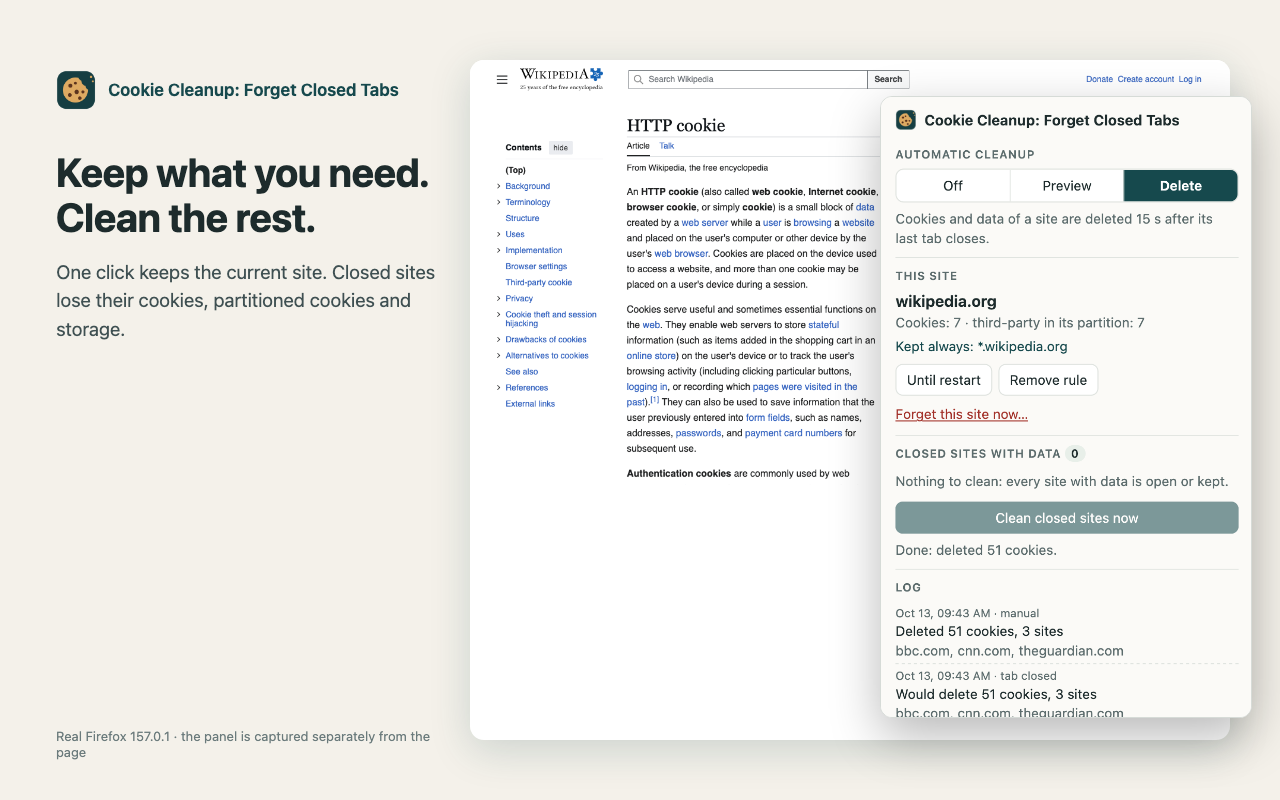
Close the last tab of a site, and 15 seconds later its cookies and site data are gone. Sites on your keep list stay. A replacement for Cookie AutoDelete, which no longer sees part of the cookies in current Firefox.

WHY COOKIE AUTODELETE LEAVES COOKIES BEHIND
Since 2022 Firefox stores third-party cookies separately for each site (Total Cookie Protection). An add-on does not see these partitioned cookies unless it asks for them explicitly. Cookie AutoDelete does not, and it has not been updated since December 2022. This add-on reads all cookies, including partitioned ones: the cookies of an embedded widget or tracker inside site A are deleted together with site A.

WHAT IS DELETED
• Cookies of the site and its subdomains, plus third-party cookies stored in that site's partition.
• localStorage, IndexedDB and service workers of the site's addresses you visited.
• A site is its registrable domain (a Public Suffix List copy is built in): en.wikipedia.org and www.wikipedia.org are one site.

NOTHING YOU STILL USE
• While a site has at least one open tab, in any window, its data is left alone.
• Firefox containers are kept apart: closing a site in a “Work” container keeps it in normal tabs, and the other way round.
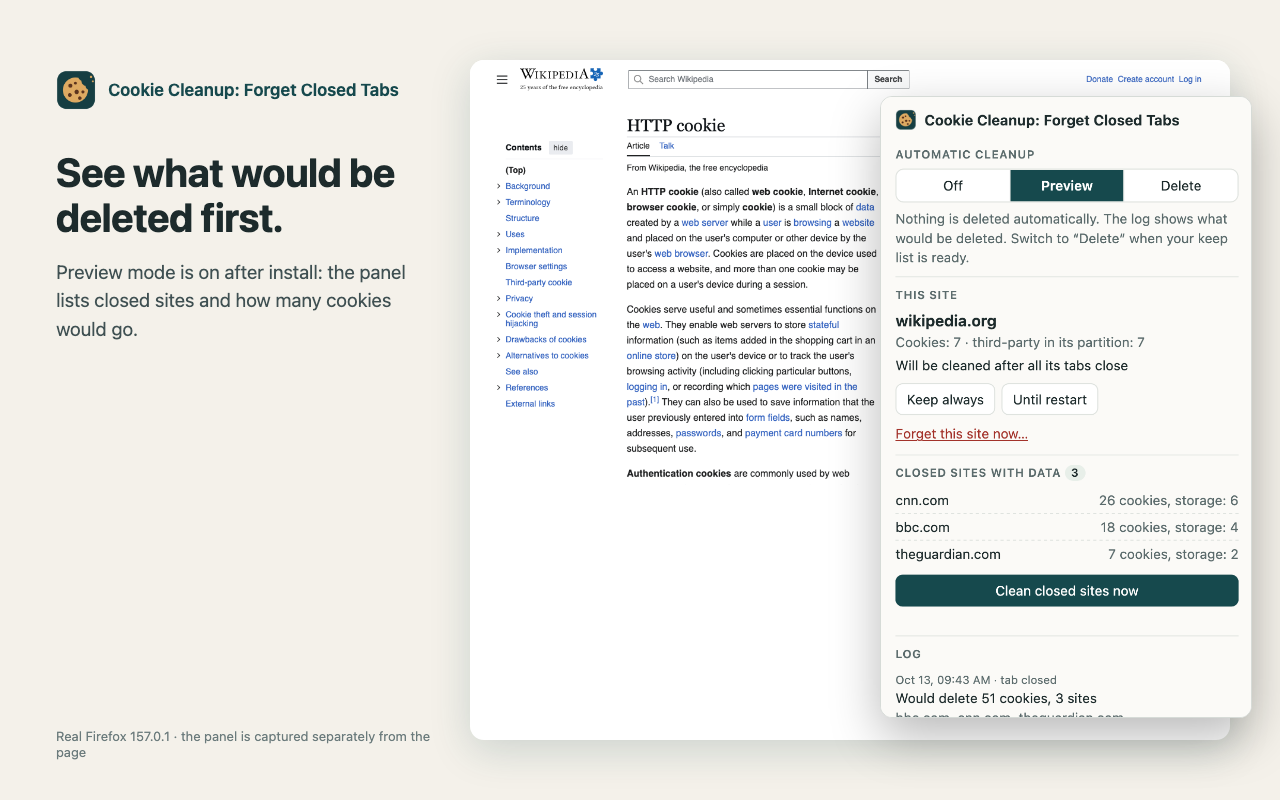
• After installation the mode is “Preview”: nothing is deleted, the popup and the log show what would be. Build your keep list, then switch to “Delete”.

KEEP LIST
• “Keep always” and “Until restart” — one button in the popup for the current site. “Until restart” sites are cleaned at the next Firefox start, even if the tab is restored.
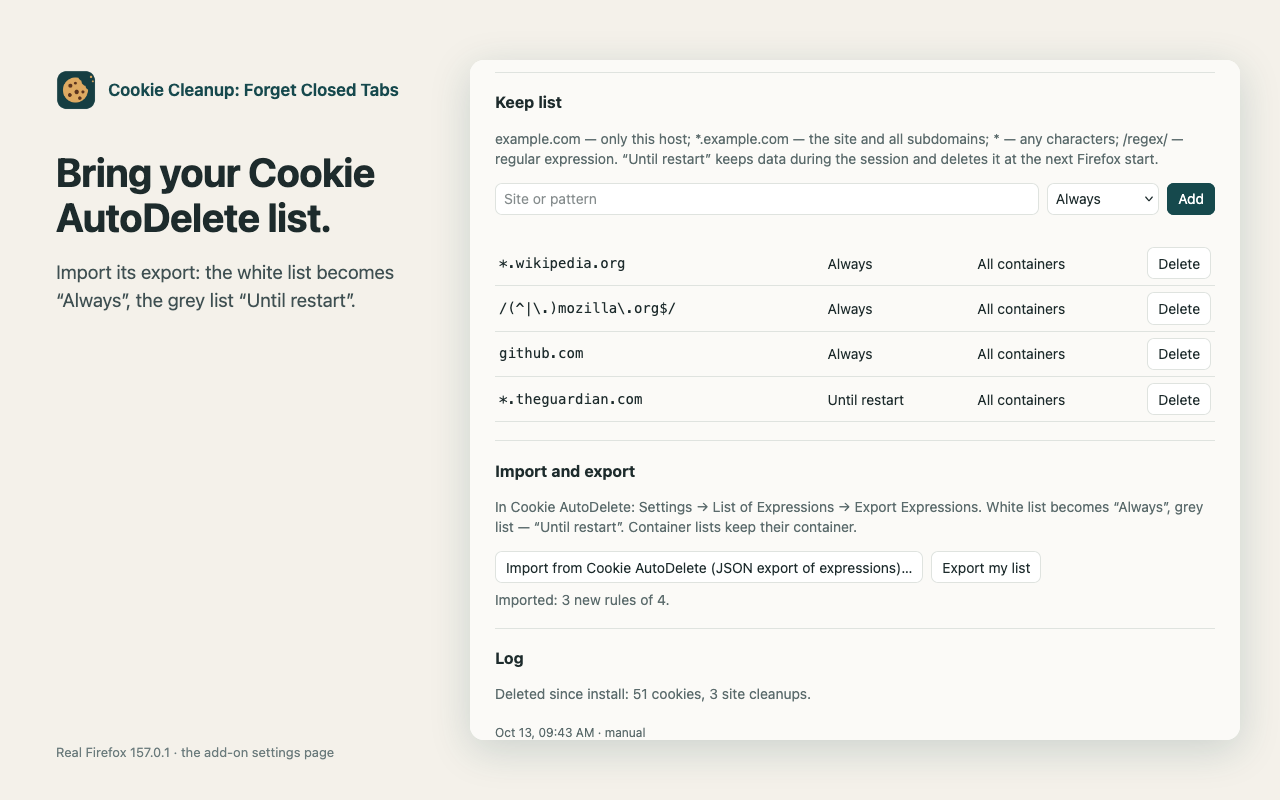
• Cookie AutoDelete patterns: example.com, *.example.com, *, /regex/. A rule can be limited to one container.
• Import a Cookie AutoDelete export: the white list becomes “Always”, the grey list “Until restart”.

ALSO
• “Clean closed sites now” and “Forget this site now” (with a confirmation).
• Sites closed right before quitting Firefox are cleaned at the next start.
• A log of recent cleanups. No notifications, no tabs opened.

LIMITS
Firefox does not let add-ons clear the HTTP cache or the Cache API per site, so they are not deleted. Storage is deleted for the addresses the add-on saw in tabs or cookies. Private windows are not touched: Firefox clears them itself. Checked in desktop Firefox on macOS; Firefox for Android has not been checked.

PRIVACY
No network, analytics or account. Rules, the log and the list of hosts waiting for cleanup stay in this browser. Access to all websites is needed to see and delete their cookies.